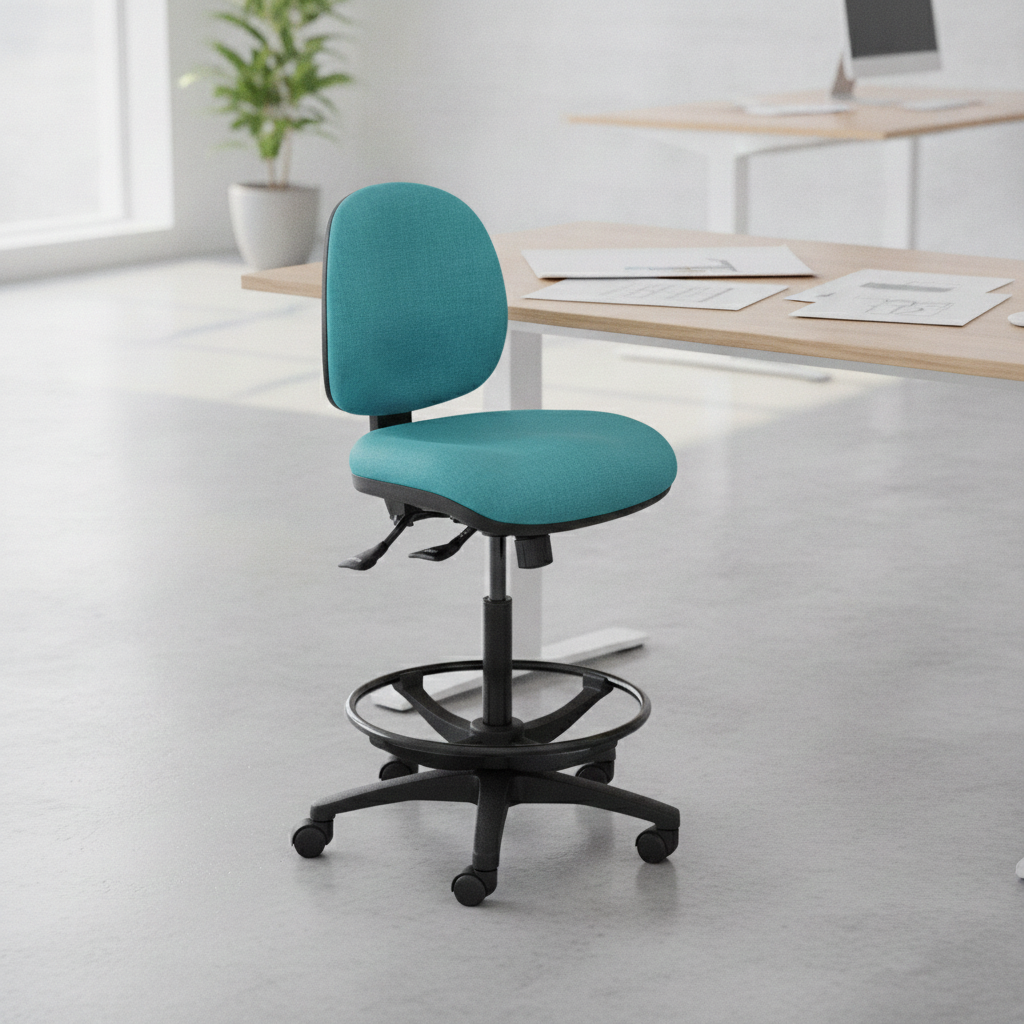
A drafting chair is a height-adjustable chair designed for work surfaces that sit higher than a standard office desk. Ergonomic drafting models use many of the same support and adjustment principles as ergonomic task chairs, but with a greater seat-height range and foot support suited to elevated working positions.
Drafting chairs are commonly associated with architects and designers, but their uses extend to laboratories, healthcare environments, workshops, service counters and other workplaces built around high benches or work surfaces.
The right drafting chair depends on more than height alone. The user, workstation, tasks, weight rating, materials and adjustment options all need to be considered.
What Is a Drafting Chair?
The defining difference between a drafting chair and a standard office chair is the working height.
A conventional task chair is generally designed around a standard-height desk. A drafting chair takes the same basic ergonomic seating concept and raises it for use at drafting tables, benches, counters and other elevated workstations.
That extra height means foot support becomes particularly important. Many drafting chairs therefore include an adjustable foot ring or another dedicated place for the feet to rest when they cannot comfortably reach the floor.
Drafting Chair vs Standard Office Chair
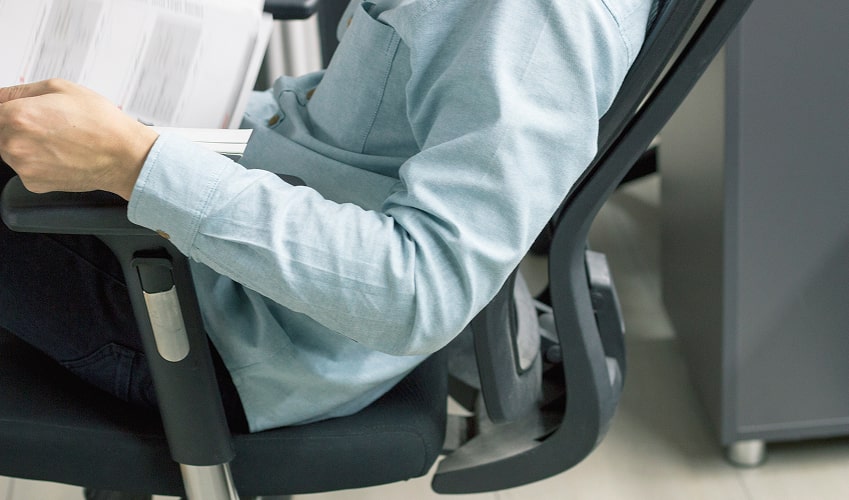
An ergonomic drafting chair can include many of the same features as an office task chair, including an adjustable backrest, seat controls, lumbar support and optional armrests.
The difference is how those features are configured for the workstation.
A drafting chair generally provides:
- A higher seat-height range
- Foot support for elevated seating
- A base suitable for the increased chair height
- Adjustment options suited to the user and task
A drafting chair is therefore not an upgraded office chair or automatically a better choice. It is an ergonomic seating option intended for a different working height.
Drafting Chair vs Drafting Stool
Drafting chairs and drafting stools can overlap in height and purpose, so the product name alone does not tell you how much support or adjustment is available.
Drafting chairs are more likely to use a conventional chair-style backrest, while drafting stools may have a smaller backrest or more compact seating format. Individual products vary, so compare the seat, backrest, foot support and adjustment options before deciding.
| Feature | Drafting Chair | Drafting Stool | Standard Office Chair |
| Typical use | Elevated workstations | Elevated or task-specific work | Standard desks |
| Seat height | Higher range | Higher range | Lower range |
| Foot support | Common, often integrated into the chair | Common, depending on design | Feet are generally supported by the floor; a separate footrest may be used where required |
| Backrest/support | Varies by model; commonly chair-style | Varies by model; may be more compact | Varies by model; commonly chair-style |
| Selection focus | Height, support and adjustment | Height and required support | Standard desk height, support and adjustment |
What Are Drafting Chairs Used For?
Drafting chairs are used where someone needs to work while seated at a surface that is higher than a normal office desk.
Elevated Desks, Drafting Tables and Counters
Typical applications include drafting tables, technical benches, high counters and elevated desks.
They may also suit some sit-stand desks where the user wants to work from a higher seated position. This depends on the desk and chair being compatible, rather than simply choosing the tallest chair available.
The user still needs suitable clearance beneath the work surface, enough adjustment to reach the required working height and somewhere stable to support their feet.
Creative, Technical and Specialised Workplaces
Drafting chairs can be used wherever tasks are performed at elevated work surfaces. Creative and technical workplaces may use raised drafting tables or design benches, while specialised environments can include laboratory and clinical benches, industrial workstations and retail or service counters.
The environment can change what matters when choosing the chair. An office may call for conventional fabric or mesh seating, while healthcare, laboratory or industrial environments may place greater importance on easy-clean surfaces, durable finishes, appropriate glides or castors and the ability to move around the workstation.
Key Ergonomic and Workplace Features of Drafting Chairs
Drafting chairs can include many of the same ergonomic features found on office task chairs, but those features need to work effectively at a greater seating height. Other specifications, including materials, mobility and weight rating, help determine whether the chair suits the workplace and user.
Features vary between models, so the aim is to match the chair to the task rather than simply choose the model with the most adjustments.
| Feature | Why It Matters | Practical User or Workplace Benefit |
| Height-adjustable seat | Allows the seat to be positioned relative to the work surface | Reduces the need to reach excessively up or down while working |
| Extended seat-height range | Accommodates elevated desks, benches and counters | Allows seated work where a standard task chair may not reach |
| Adjustable backrest height | Allows back support to be positioned for the individual | Helps the user find a more suitable supported sitting position |
| Backrest angle or recline adjustment | Allows the sitting position to be changed | Gives the user greater freedom to adjust their position during the day |
| Lumbar support | Provides support around the lower-back area | Can improve comfort during seated work |
| Height-adjustable foot ring or footrest | Provides foot support when the chair is raised | Prevents the feet from being left unsupported at drafting height |
| Stable base | Provides a suitable foundation at the increased seating height | Supports stable entry, exit and repositioning |
| Appropriate castors or glides | Matches chair movement to the flooring and task | Makes it easier to move or remain stable as required |
| Contoured seat and backrest | Supports the user across the contact areas of the chair | Can improve comfort and positioning |
| Adjustable armrests, where fitted | Allow arm support to be positioned for the individual | Can assist with computer, drafting and detailed technical work |
| 360-degree swivel | Allows the chair to turn with the user | Makes nearby equipment or work areas easier to access |
| Durable upholstery or finish | Allows the chair to withstand regular workplace use | Provides options for different commercial environments |
| Easy-clean surfaces | Supports cleaning requirements | Useful in healthcare, laboratory and industrial settings |
| Weight-rated construction | Ensures the chair is specified for the intended user | Helps match the chair’s structural rating to individual requirements |
These features need to work together. A chair may reach the correct working height but still be unsuitable if the foot support, backrest, seat dimensions or controls do not fit the person using it.
Who Are Drafting Chairs Best For?
A drafting chair is most relevant when the workstation requires an elevated seated position.
Architects, Designers and Engineers
Architects, designers and engineers may work between drawings, screens, plans and other materials at elevated technical workstations.
In these environments, seat height is only one consideration. Back support, movement around the workstation, armrest clearance and access to the work surface can also influence which chair is appropriate.
Home Office Users With Elevated Workstations
A drafting chair may suit a home office with an elevated desk or a height-adjustable workstation being used at a higher seated position.
For a conventional desk, however, an ergonomic office chair with a standard seat-height range will generally be the more appropriate starting point.
Laboratory, Healthcare, Retail and Workshop Staff
Laboratories, clinical environments, service counters and workshops can all involve higher work surfaces.
The chair may also need to suit the conditions of the workplace. That could mean easier-to-clean upholstery in a clinical environment, durable surfaces around industrial tasks or suitable glides and bases where controlled movement is required.
How to Choose the Right Drafting Chair
Start with the workstation and the person using it rather than selecting a chair based on appearance or maximum height alone.
Measure the Workstation Height
Before comparing models, check:
- The height of the work surface
- The seated working height required
- The chair’s minimum and maximum height
- Whether the foot support can be positioned appropriately
- Clearance beneath the workstation
- Whether armrests will clear the desk or bench
- Whether the workstation also needs to accommodate standing
These checks help establish whether a drafting chair will actually fit the workspace.
Check the User Weight Rating
Weight capacity is another important specification that can be overlooked.
Drafting chairs are available with different user weight ratings, and the chair should be selected within the manufacturer’s stated rating. It should also provide suitable seat dimensions, back support and foot support for the individual rather than being selected on load capacity alone.
For users who require a heavier-duty option at drafting height, Ergolink offers the Ergoselect Stride Step Heavy Duty G2 Draft Chair. It is rated to 160 kg and uses a five-leg heavy-duty drafting base with three footrest heights.
The Stride Step also includes a lumbar pump, ratchet back-height adjustment and a three-lever ergonomic mechanism. Medium and high back options, different seat sizes and height-adjustable arms are available, allowing the chair to be configured around different user requirements.
This makes weight rating part of the overall fitting process rather than a specification to check after the chair has already been selected.
Consider Materials, Base and Movement
The chair should also match its working environment.
Fabric or mesh may be suitable for an office or design workspace, while vinyl, moulded surfaces or other easy-clean finishes may be more practical where cleaning requirements are higher.
Consider whether the chair needs castors for movement or glides for greater stability, as well as how frequently the user moves on and off the chair during the day.
Set Up the Chair Around the User
Once the chair is in place, adjust the seat so the work surface can be reached without excessive upward or downward reaching.
If the feet do not reach the floor, adjust the foot ring or footrest so they have stable support. Position the backrest for the user, then adjust armrests where fitted without allowing them to prevent the chair from moving close enough to the workstation.
Where workstation requirements are more complex, an independent ergonomic assessment may help identify suitable equipment requirements before a chair is chosen. Ergolink’s assessment page connects customers with independent qualified workplace rehabilitation providers rather than carrying out the assessment itself.
Find the Right Drafting Chair for Your Workspace
A drafting chair should provide the familiar adjustment and support features expected from ergonomic seating while working effectively at an elevated height. The right model will depend on the workstation, user dimensions, weight rating, workplace environment and tasks being completed.
Ergolink has supplied ergonomic office equipment since 1998. At the Balcatta showroom, customers can sit in and compare different chairs and discuss their workstation requirements before selecting a model.
Explore Ergolink’s range of drafting chairs or speak with our ergonomic specialists for help choosing a chair that suits your workstation height, tasks and support needs.